Disclosure: This is not a sponsored review, but Travlists is reader-supported. We may earn a small commission if you book through some of the links on this page. See how we test eSIMs and my purchase receipt.
In a nutshell
- Airalo eSIM review. Like I shared on TikTok, it only took me less than a minute to install Airalo on my iPhone 18 Pro when I tested it in Seoul. After setting up and restarting my phone, the eSIM connected me to SKT, a major local network in South Korea. My connection was 5G throughout, and my speed test results showed 299.36 Mbps. This number is actually slightly higher than my speed test results for Ubigi (293.13 Mbps) and Saily (289.73 Mbps), but Nomad is still the fastest eSIM I have tried so far with an Ookla test result of 1,247.72 Mbps.
- Airalo promo codes. I purchased an Airalo eSIM using promo code TRAVLISTSNEW, which provides a 15% discount for new users. Existing Airalo customers can use coupon code TRAVLISTSALL, which applies 10% off at checkout. I have confirmed that these codes are working as of this article’s last update.
- Areas for improvement. While I enjoyed the easy installation and fast internet connection, I found a few things that I wish would have worked better. For instance, I tried to install the Airalo iOS widget so I could have a quick glance at my remaining data. I could never get past the “Choose eSIM” menu in the widget settings — it just froze and never really showed my balance. That said, I was actually notified via email when my balance dropped to 25% of the data plan.
Travlists Booking Data
Airalo eSIMs Booked by Travlists Readers
Based on 1,855 Airalo eSIM purchases tracked through Travlists affiliate links from January 2025 to October 2026, our readers have booked Airalo plans for destinations including China, Canada, the USA, Turkey, France, Spain, Asia (regional), and Europe (regional), among others.
Our booking data reflects purchases made through Travlists affiliate links, not the entire travel market.
Choose your Airalo eSIM
Reviewing Airalo, the World’s First eSIM Store
I review eSIMs for a living, and Airalo is one of those brands that I was genuinely curious to try. It wasn’t just because they’re one of the biggest names in the industry, but also because, despite having tens of millions of users, I kept coming across mixed experiences on Trustpilot and Reddit about whether they’re actually worth using.
Below, I’ll share my full review, but I’d have to say my experience was overall pleasant. In terms of the basics, such as purchase, installation, and performance, Airalo checked all the boxes. The setup on my iPhone was extremely simple and fast, and I was able to connect to SKT’s 5G network in South Korea. I also had no issues using apps like Google Maps to find directions to Seoul Station from Yeouido. That said, I did encounter a few hiccups, including a bug with Airalo’s iPhone widget. Here’s my review based on my firsthand testing in October 2026, including what I liked and what I think could be improved.
Before buying an eSIM, make sure your phone is compatible. The quickest way to check for compatibility is by dialing *#06# on your device. If your phone shows an EID, it generally supports eSIM. You also need your phone to be carrier-unlocked. You can check this on your device settings or with your carrier. (On the Airalo app, I also saw the message “Your device supports eSIMs” while I was choosing a data plan.)
Available eSIM Data Plans
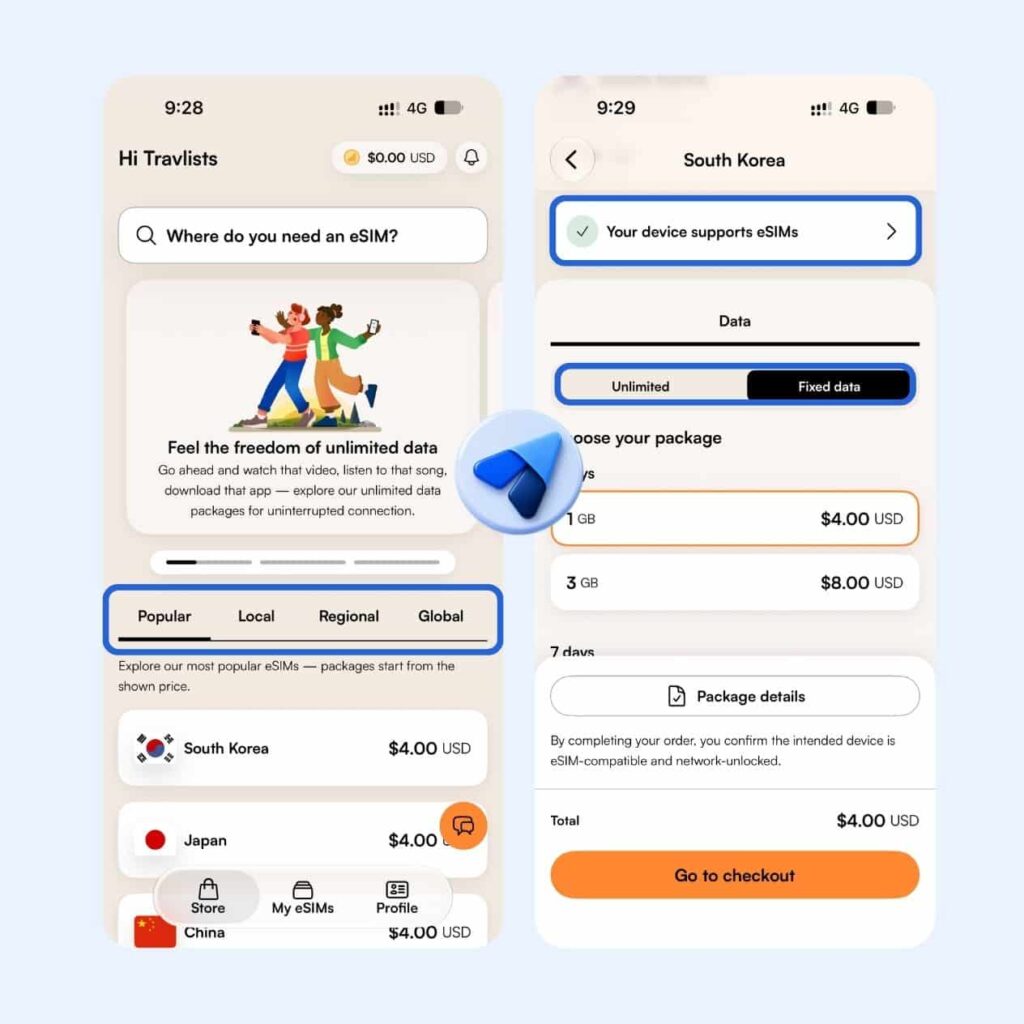
Airalo offers eSIMs with internet plans for a single country, region, or the world. This means that you have the option to get an eSIM that can work in multiple countries or region. For instance, if you’re traveling to Japan, China, and South Korea, getting Airalo’s Asia eSIM that covers these destinations may be more convenient than buying three separate plans.
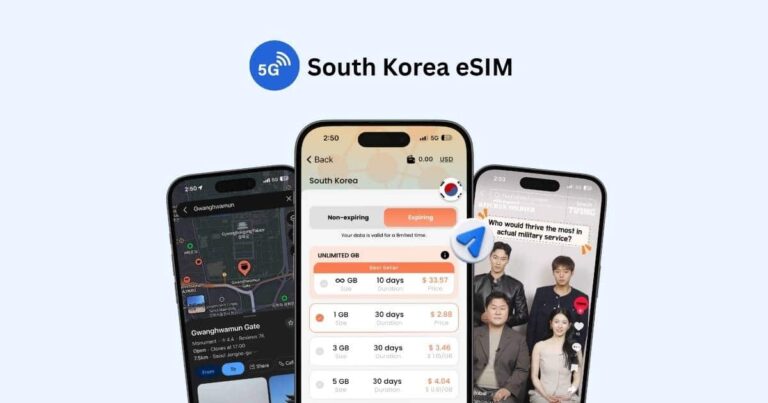
The eSIM that I bought was a single-country eSIM for South Korea. It came with 1GB of data valid for 3 days, which I used to get a good sense of browsing with Airalo. If you’re a heavy internet user, you can also consider getting a fixed data plan with up to 50GB (I’ve seen some countries where 20GB is the maximum) or an unlimited data plan for 3-30 days.
While unlimited data sounds good, I found that Airalo’s Fair Use Policy generally provides 3GB of high-speed data per day before reducing speeds to 1 Mbps. The high-speed allowance resets every 24 hours from activation, although some plans may have different limits. This is something worth checking before purchasing, especially if you plan to watch videos, upload content, or use your eSIM as a mobile hotspot.
Airalo Promo Code: 15% Off for New Users, 10% for Existing Users
Airalo provided Travlists with two branded promo codes: TRAVLISTSNEW for 15% off and TRAVLISTSALL for 10% off. Although Airalo provided these discount codes, I purchased the eSIM used in this review myself. Here are the two Airalo promo codes you can use:
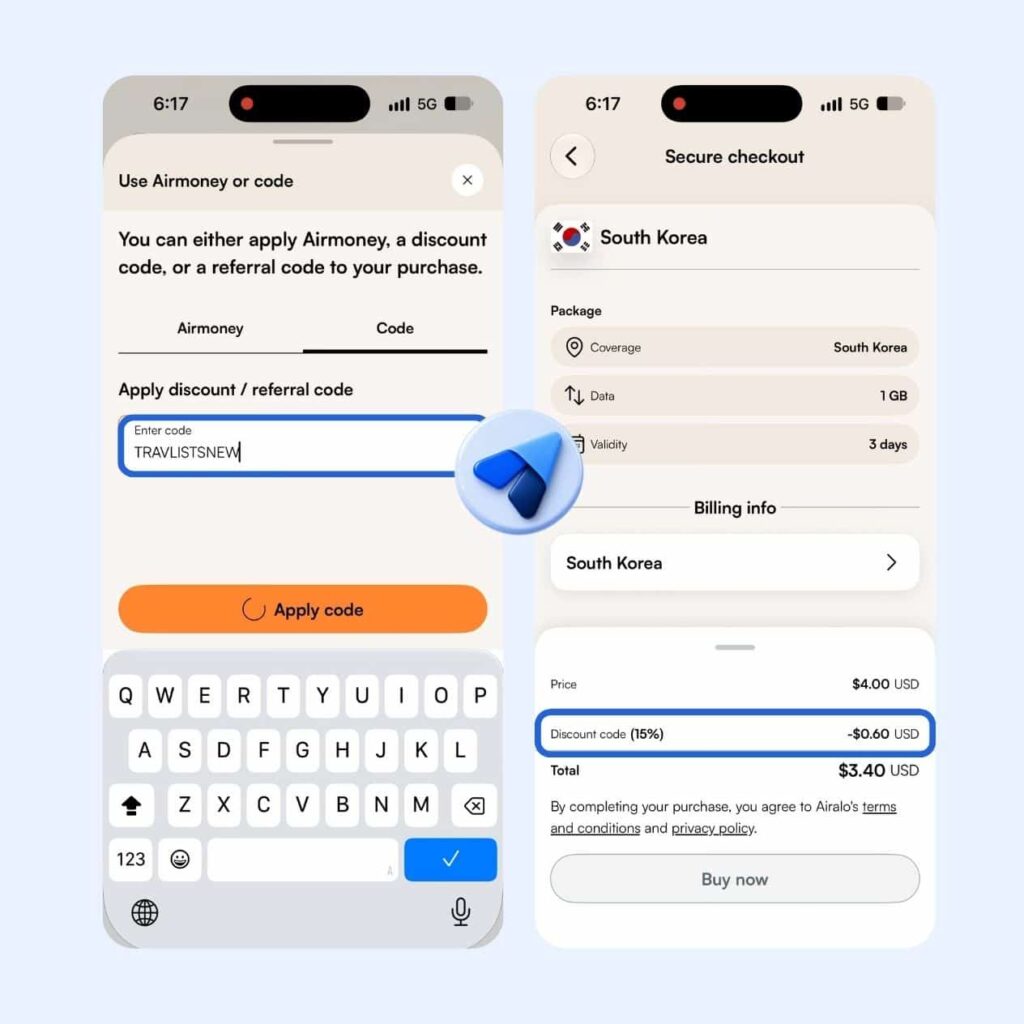
- TRAVLISTSNEW: Get 15% off your first Airalo eSIM purchase. Valid for new Airalo users only.
- TRAVLISTSALL: Get 10% off your Airalo eSIM purchase. Valid for existing Airalo users.
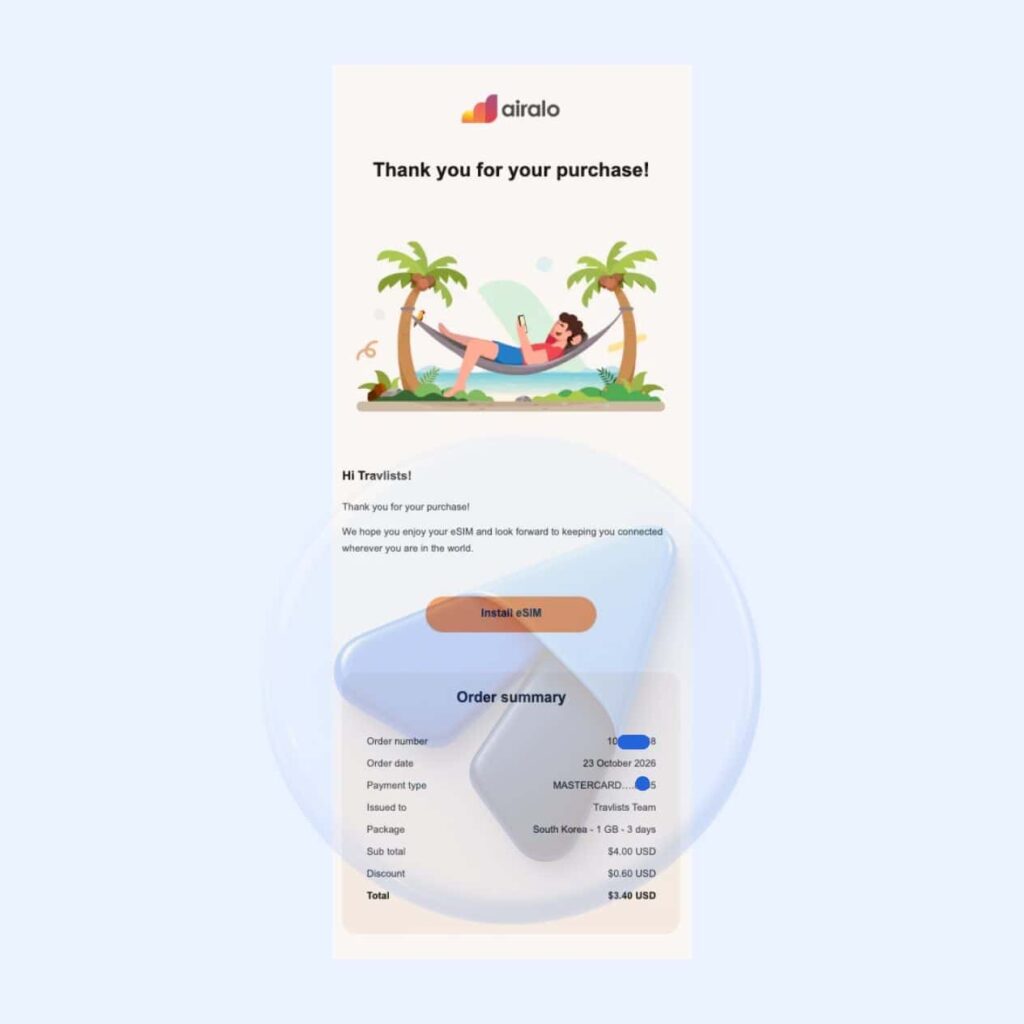
I tested both codes at checkout in October 2026 and confirmed that the discounts were applied correctly (to add a promo code, type in the code after clicking “Use AirMoney or code” on the checkout page). However, I only completed a purchase using TRAVLISTSNEW. For my South Korea eSIM with 1GB of data valid for 3 days, I paid $3.40 instead of the regular $4 price, saving $0.60 with the 15% discount.
If you’re using Airalo for the first time, I recommend using TRAVLISTSNEW to get the higher discount. Remember that new-user discounts generally apply only to your first purchase, so using the 10% code first may mean missing your chance to use the 15% offer. Note that you also cannot combine or stack multiple promo codes in a single purchase.
While these Airalo discount codes can help you save, I would still compare other discount codes from other eSIM providers. For example, BNESIM offers Travlists readers a 30% discount for new and existing users (discount is capped at €10). You can find more offers on our Travel Promo Codes list.
Note: when I purchased an Airalo eSIM with Apple Pay, the merchant name that showed is AirGSM PTE LTD, which is the official corporate entity behind the brand.
How I Installed an Airalo eSIM on My iPhone
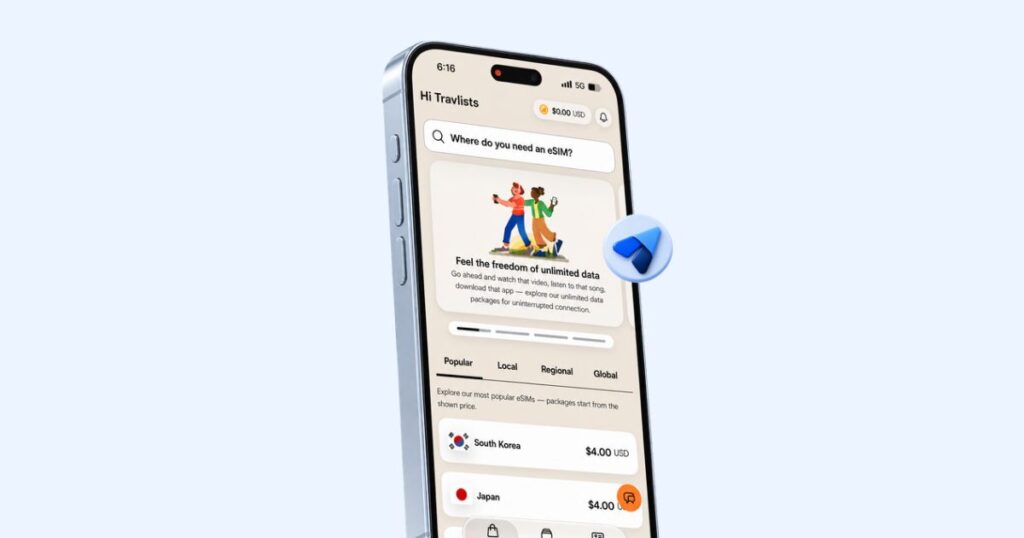
If you’re reading this Airalo eSIM review and are seriously considering purchasing a data plan, I suggest downloading the app first if you haven’t already. On the app, you can easily select a plan and check out using our promo code. After purchasing, you can initiate the eSIM installation without leaving the app.
Here are the steps I followed to install Airalo on my iPhone 18 Pro, which you can also watch on TikTok or YouTube:
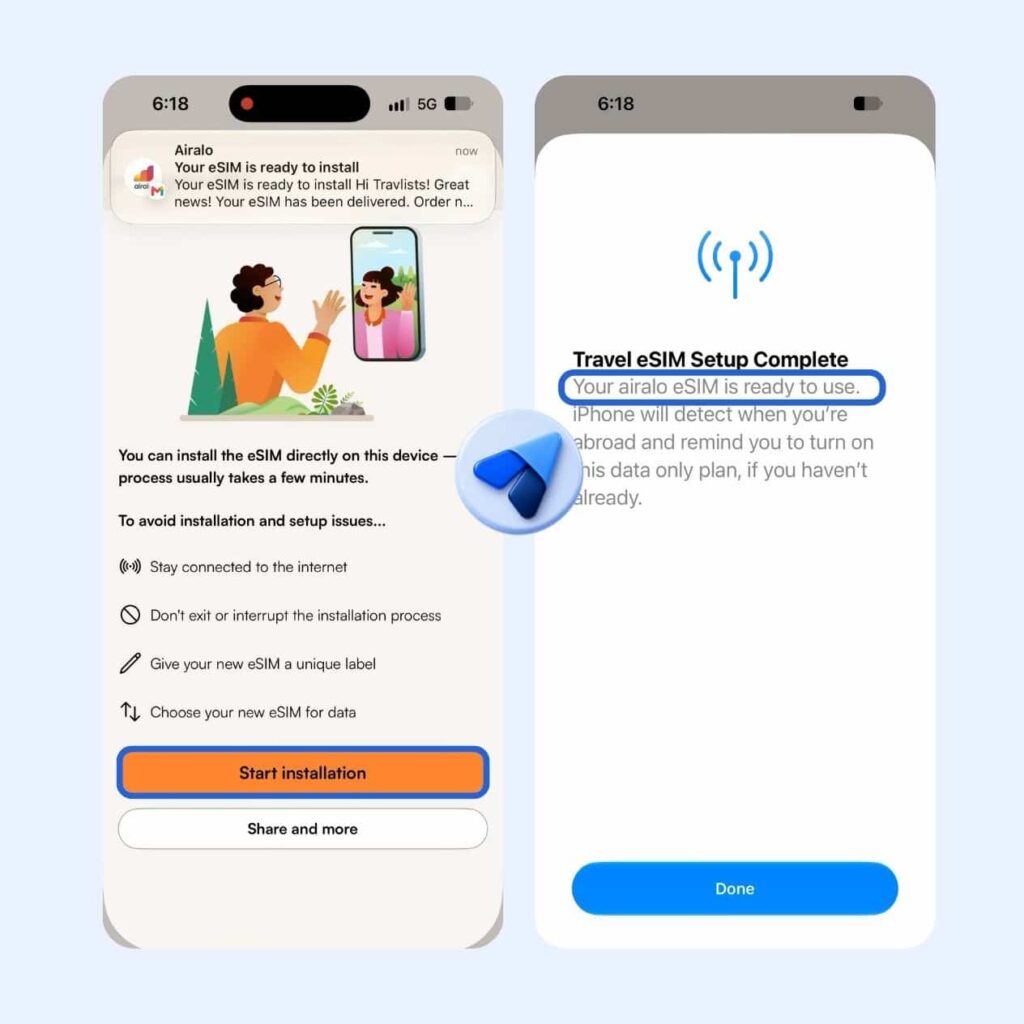
- Tap the Install or Share button after purchasing your eSIM.
- Select Start Installation when the pop-up appears.
- When you see the iOS system prompt (“Activate Your eSIM”), tap Activate.
- Tap Continue when you see the message “Your new eSIM from Airalo is ready to activate.”
- Choose Abroad and Data Only when prompted. You can select other options, such as Home if you intend to use your eSIM in your home country, or Voice and Data if your purchased plan includes calls and texts.
- Tap Done when the system displays “Travel eSIM Setup Complete.”
- Return to the Airalo app and Slide to Continue. The app should also confirm that your eSIM has been installed.
How to Activate and Connect Your Airalo eSIM
Since I was already in South Korea for my test, I immediately configured and used my newly installed eSIM. If you haven’t arrived at your destination yet, you can generally install the eSIM in advance, but check your plan’s validity policy first. Some Airalo plans may begin their validity upon installation, while most start when they connect to a supported network at your destination.
Here’s how I configured my iPhone to start using Airalo’s mobile data:
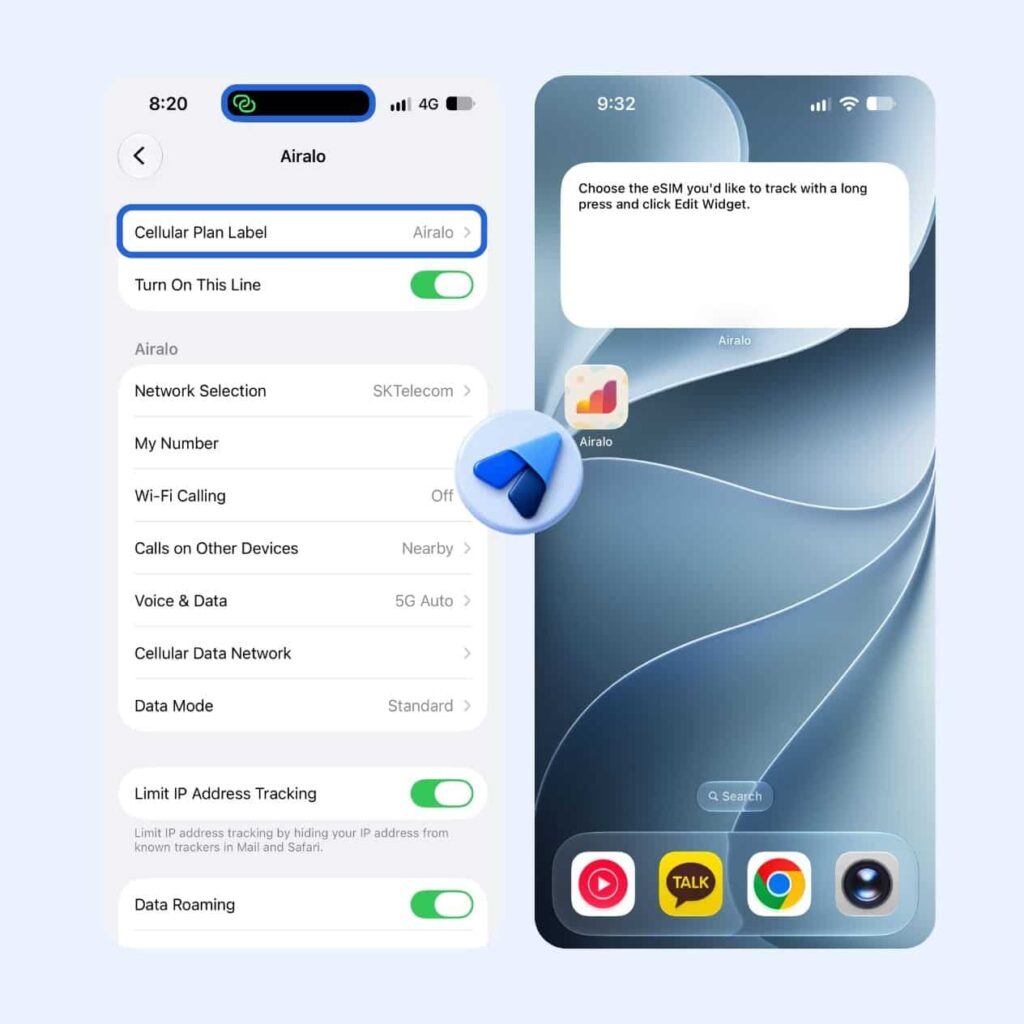
- Go to Settings > Cellular and select the eSIM labeled “Airalo” under SIMs.
- Toggle Turn On This Line and scroll down to enable Data Roaming, if required by your Airalo plan.
- Go back to Cellular > Cellular Data and select Airalo. This allows your iPhone to use your purchased Airalo data plan.
- Optionally, you can set Airalo as your voice line if your plan includes calls and texts. You can change this under Cellular > Default Voice Line.
- After completing the setup, I recommend restarting your phone. Make sure Cellular Data is turned on, and your eSIM should be ready to connect to a supported network. (I also recommend disabling “Allow Cellular Data Switching” if you don’t want your iPhone to automatically use your regular SIM for mobile data while traveling.)
Based on my experience, installing Airalo took less than a minute. Once I restarted my iPhone, I could see that my eSIM had connected to SKT’s 5G network in South Korea.
For reference, there are other ways to install Airalo, including QR code installation and manual setup. However, direct installation through the app seemed like the most straightforward method to me.
Airalo also sent me a handy PDF with installation instructions via email, but I noticed that the email didn’t include an actual eSIM QR code. You can access the QR code through Airalo’s installation options, but I would have preferred receiving it directly by email. Other providers I’ve tested, such as Yesim, BNESIM, and Ubigi, sent me QR codes that I could simply long-press on my iPhone to initiate installation without downloading their apps first. It’s a small convenience, but one I appreciate when setting up travel eSIMs.
Airalo eSIM Browsing Experience & Speed Test
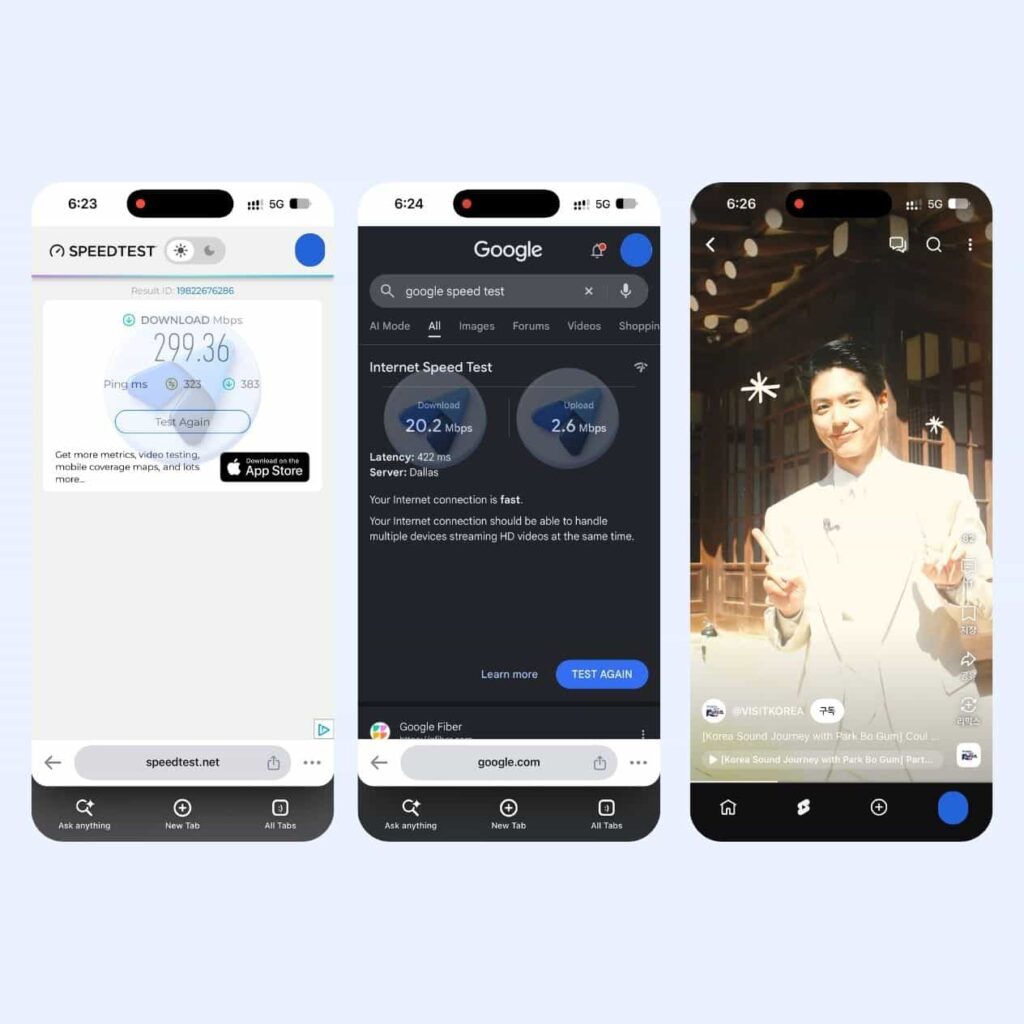
As advertised on Airalo’s South Korea eSIM page, I was able to connect to SK Telecom (SKT) over 5G. The first thing I did after installing the eSIM on my iPhone 18 Pro was run two internet speed tests. Here are the results:
- Ookla Speedtest: 299.36 Mbps download (with idle latency of 323 ms and download latency of 383 ms)
- Google Speed Test: 20.2 Mbps download and 2.6 Mbps upload (Dallas server with 422 ms latency)
The results were surprisingly different. While Ookla recorded an excellent download speed of nearly 300 Mbps, Google’s test showed a much slower connection. However, I noticed that Google’s test used a server in Dallas, United States, with a latency of 422 ms. The server location and network routing may have affected the result, so I wouldn’t necessarily interpret the lower Google reading as Airalo’s typical internet speed in Seoul.
The Ookla result makes Airalo the second-fastest eSIM I’ve tested in South Korea as of October 24, 2026. Nomad remains first with 1,247.72 Mbps, while Ubigi and Saily came close to Airalo at 293.13 Mbps and 289.73 Mbps, respectively.
However, as someone who lives in South Korea, I can say that I haven’t noticed significant differences in everyday browsing when using Nomad, Airalo, Klook, BNESIM, and other eSIM providers. That’s partly because these providers rely on local mobile networks to provide connectivity.
Personally, instead of focusing solely on which eSIM provider has the fastest speed test results, I usually check which local networks perform well in my destination and then look for eSIM providers that offer access to those networks (actual performance can still vary depending on the eSIM plan, network routing, location, and other factors). In terms of everyday use, I was able to use Airalo with several apps, including TikTok, WhatsApp, YouTube, Google Maps, and Chrome. I had no issues with browsing, watching videos, or checking directions during my test in Seoul.
Mobile Hotspot with Airalo
Airalo says its eSIMs support mobile hotspot, which isn’t something every travel eSIM plan offers, so I also checked whether it actually worked. I tried connecting my iPad to my iPhone 18 Pro using mobile hotspot, and it worked well with no issues.
Just remember that tethering can use up your fixed data allowance quickly, especially if you’re sharing your connection with another device. I recommend checking your remaining data every so often to avoid running out during your trip.
Airalo iOS Widget Didn’t Work for Me
Speaking of checking your data balance, I also wanted to see how Airalo’s iOS widget worked on my iPhone. Airalo offers three widget sizes: a square, a smaller rectangle, and a larger rectangle. They’re designed to show your remaining eSIM data at a glance without having to open the app.
While I could check my data usage directly in the Airalo app, and I even received an email notifying me when I had only 25% of my data remaining, I thought the widget would be a useful addition, especially when traveling.
I regularly use iPhone widgets to check my battery level and weather information without opening their respective apps. Having a similar widget for my Airalo data balance would make it easier to monitor how much data I have left during a trip.
Unfortunately, I couldn’t get Airalo’s iOS widget to display my remaining data during my test. I was able to add the widget to my iPhone’s Home Screen, but whenever I tried selecting my eSIM in the widget settings, it wouldn’t refresh or display my data balance.
This was disappointing because the feature itself is genuinely useful. While it didn’t affect my mobile data connection or browsing experience, it’s something I hope Airalo can improve in a future app update.
Airalo Loyalty Program & Referral Code
Airalo’s Loyalty Program rewards users with AirMoney, Airalo’s in-app currency that you can use towards future eSIM purchases. Think of it like points that you can accumulate to help you save money each time you travel.
The more you spend on Airalo, the higher the cashback rate you can receive in the form of AirMoney. According to Airalo, all users start at the Traveler tier with 5% cashback. You can then progress to Silver (6%), Gold (7%), and Platinum (10%) as you make more purchases.
Being an Airalo user also allows you to join their Referral Program. Each time someone makes their first eSIM purchase using your referral code, you receive $3 in AirMoney, while your friend or family member gets a $3 discount on their first purchase.
One thing worth noting is that eSIM purchases made using a promo code or referral discount do not earn AirMoney cashback. Since I used our Airalo promo code when purchasing my South Korea eSIM, I also did not receive any AirMoney.
This is one area where I found another provider more rewarding. When I purchased an eSIM from Yesim, I still received their loyalty points (Ycoins) even though I used a promo code.
Airalo Customer Support
Reaching out to customer support is part of my eSIM testing process, even when I don’t encounter any issues during testing.
On the Airalo app, I was able to find the customer support chat button easily. It offered two options: Chat and WhatsApp. I tried chatting with Airalo’s AI Agent, their customer service chatbot, to ask questions about eSIM top-ups and AirMoney. The responses were all accurate and answered my questions without any issues. However, I didn’t get a chance to test their WhatsApp support team, so I can’t say whether the experience would have been just as smooth with a human representative.
In Closing: Would I Use Airalo eSIM Again After This Review?
Yes, I would definitely use Airalo eSIM again and even recommend it to my friends and family. Despite the mixed reviews I’ve come across online, I found the eSIM easy to install and use. Being able to connect to SKT’s 5G network and browse without issues in Seoul was great, and the variety of data plans covering individual destinations and regions makes Airalo a solid choice for tourists.
I would think twice about getting Airalo if budget were my main concern, as there are other providers that offer cheaper plans or higher promo code discounts for new and existing users. The iOS widget also didn’t work during my test, which was disappointing, although it didn’t affect my actual mobile data connection. Book Airalo eSIM for your trip ➜
If you are choosing between Airalo and other major providers like Ubigi, Yesim, BNESIM, Nomad, and Saily, you can find a quick comparison on Travlists’ eSIM Hub.
FAQ
Is Airalo eSIM worth it?
Yes, based on my test in Seoul in October 2026. Installing Airalo on my iPhone 18 Pro took less than a minute, and the eSIM connected to SKT’s 5G network with an Ookla download speed of 299.36 Mbps. I had no issues using Google Maps, YouTube, TikTok, or Chrome. If budget is your main concern, though, other providers may offer cheaper plans or bigger promo code discounts.
Is Airalo legit?
Yes. I paid for the eSIM used in this review myself, and it installed and connected to SKT’s 5G network as expected. When I checked out with Apple Pay, the merchant name showed as AirGSM PTE LTD, which is the official corporate entity behind Airalo. Their AI support agent also answered my questions about top-ups and AirMoney accurately.
What are the disadvantages of Airalo eSIM?
During my test, the Airalo iOS widget never displayed my remaining data, as it froze whenever I tried selecting my eSIM in the widget settings. Their installation email also didn’t include a QR code, unlike Yesim, BNESIM, and Ubigi. Purchases made with a promo code or referral discount don’t earn AirMoney cashback, and Airalo isn’t always the cheapest option compared with other providers.
What is the Airalo promo code?
Use TRAVLISTSNEW for 15% off your first Airalo eSIM if you’re a new user, or TRAVLISTSALL for 10% off if you already have an Airalo account. To apply a code, tap “Use AirMoney or code” on the checkout page. I used TRAVLISTSNEW for my South Korea eSIM and paid $3.40 instead of $4. Promo codes can’t be combined in a single purchase.
Does Airalo eSIM come with a phone number?
The South Korea eSIM I tested was data only, so it didn’t include a phone number, calls, or texts. Some Airalo plans do include calls and texts, so check the plan details before buying if you need a local number.
Can I use WhatsApp with Airalo?
Yes. I tested WhatsApp using my Airalo eSIM in Seoul, and it worked. Even though the South Korea plan I tested was data only, WhatsApp runs over mobile data, so it doesn’t need the eSIM to come with a phone number.
Is Airalo unlimited data really unlimited?
Not entirely. Airalo’s Fair Use Policy generally provides 3GB of high-speed data per day, after which speeds drop to 1 Mbps. The high-speed allowance resets every 24 hours from activation, although some plans may have different limits. This is worth checking if you plan to stream videos, upload content, or use a hotspot.
Can I use Airalo eSIM as a mobile hotspot?
Yes. I connected my iPad to my iPhone 18 Pro using mobile hotspot with my Airalo eSIM, and it worked with no issues. Keep in mind that tethering can use up a fixed data plan quickly, so check your remaining data regularly.
When does an Airalo eSIM plan start?
Most Airalo plans start their validity period when the eSIM connects to a supported network at your destination, but some begin upon installation. You can generally install the eSIM before your trip, but check your plan’s validity policy first.
Do I earn AirMoney when using an Airalo promo code?
No. Airalo purchases made using a promo code or referral discount don’t earn AirMoney cashback. Since I used TRAVLISTSNEW for my South Korea eSIM, I didn’t receive any AirMoney for that purchase.
Article Updates
- October 24, 2026: Added review of Airalo eSIM on an iPhone 18 Pro
Purchase Receipt
The eSIM I used for this Airalo review was not sponsored. I have below the receipt for my purchase using discount code TRAVLISTSNEW.