Disclosure: This is not a sponsored review, but Travlists is reader-supported. We may earn a small commission if you book through some of the links on this page, at no additional cost to you. See how we review and my purchase receipt.
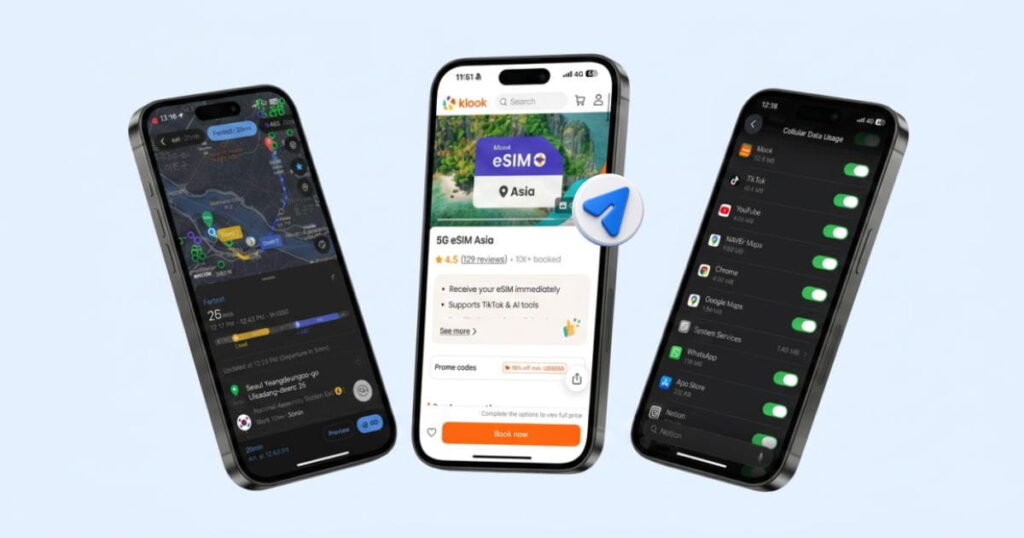
My college friends who visited me in Seoul got their eSIMs from Klook. One of them was able to set up fast, while the other took a little longer because it was her first time using one. The eSIMs worked well for them in the places we visited together, including DMZ, Insadong, and Yeongdeungpo. Seeing this left me with a good first impression of Klook eSIMs, but I still wanted to try it for myself. I bought Klook’s Asia eSIM with coverage in 13 countries, including South Korea, Japan, China, Hong Kong, Singapore, Vietnam, and more. In this review, I’ll share what I liked, what I didn’t, and our Klook promo code that provides up to a 5% discount.
In a Nutshell
- What is Klook? Klook, short for “Keep Looking,” is a travel activity booking app that launched in 2014. I have been using it to buy attraction tickets, tours, and travel essentials for my trips. The Klook-branded eSIM, which can be installed through the same app, was launched in 2024. I have been comparing eSIM providers since 2023, and I think Klook’s strongest selling points are the simple in-app installation and budget-friendly data plans starting at less than $1.
- How did it perform? It took 3 minutes to activate the Klook eSIM on my iPhone. My Google Speed Test in Seoul showed download speeds of 89.4 Mbps and upload speeds of 33.1 Mbps, which are considered fast. I had no issues using Naver Map, Uber, YouTube, and TikTok in Seoul, so I was satisfied with the connection.
- Popular destinations. Klook eSIM is available in more than 100 destinations, and Travlists readers most commonly book it for South Korea, Japan, China, Vietnam, Singapore, and Hong Kong. This is based on 1,100+ bookings tracked through our affiliate links between January 1, 2025, and July 25, 2026. South Korea, Japan, and China actually accounted for more than half of these bookings, so if you’re traveling to one of these countries and thinking about getting a Klook eSIM, I’d say you’re in good company.
Klook Promo Code
Quick Book: Get Klook eSIM
Choose your destination below and get up to 5% off when you book with our Klook coupon code TRAVLISTS. Verified working as of this article’s last update, and terms and conditions apply. Feel free to contact us if anything seems off.
Choose your destination
Meet Klook eSIM
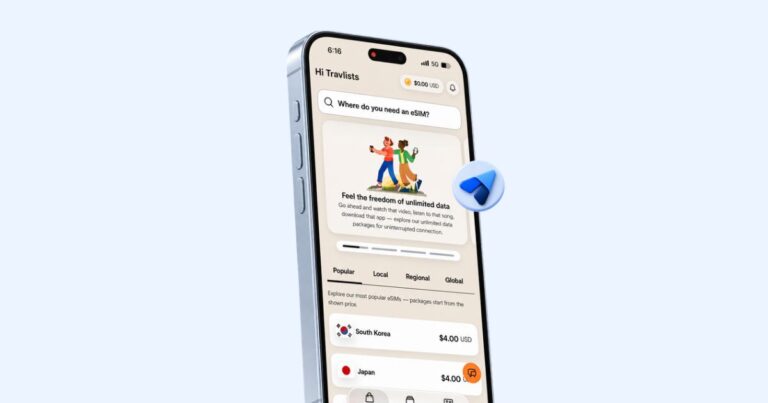
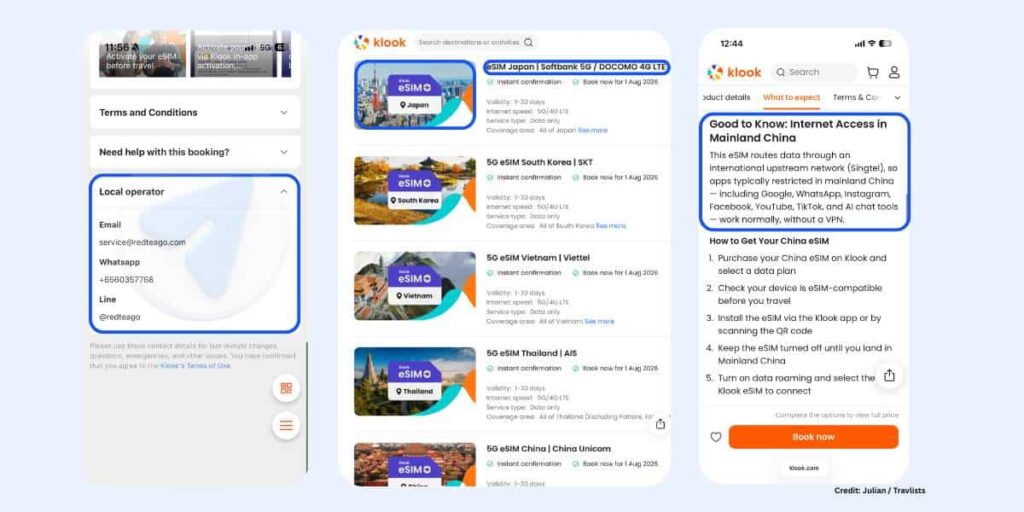
Klook is a travel marketplace, so you’ll find both Klook-branded eSIMs and eSIMs from other providers (like Airalo) on the platform. The easiest way to know if it’s a Klook eSIM is to check the featured image and product title. The branded eSIMs are usually named in this format: 4G/5G + eSIM + Destination + Local Network. For example, its South Korea and China eSIMs are called 5G eSIM South Korea | SKT and 5G eSIM China | China Unicom. This is worth mentioning so you know you’re getting the Klook-branded product.
Another thing to highlight is that Klook is not a telco. Based on what I saw during my usage, it also doesn’t seem to provide the underlying eSIM service itself. The voucher for the Asia eSIM I bought listed RedteaGO as the local operator, so Klook may be sourcing this particular plan from the company (technically, this would be a white-label arrangement). That doesn’t automatically mean the service is good or bad, but I’d interpret it as Klook’s eSIM will only work as well as the supplier (and the local network) behind it. As a traveler, what matters more to me is how well it actually performs.
Before we go to my review, here is some basic information about Klook eSIMs. This may be helpful if you’re already comparing it against providers like BNESIM, Yesim, and Ubigi.
- Coverage: Available in at least 100 destinations, with single-country and regional plans.
- Installation: In-app installation through the Klook app is recommended, but QR code and manual setup are also available.
- Reusable: Honestly, this is still unclear. I couldn’t find a clear answer on the product page or in Klook’s eSIM FAQs. However, Klook’s chatbot told me that my Asia eSIM could be reused in another covered country after the current plan expires, provided I purchase another eligible plan.
- Unlimited data: Available on most plans. The Asia eSIM includes 15GB of high-speed data per day and uncapped data at 1 Mbps.
- Mobile hotspot: Yes, but check out my note in the Pros section below.
- Network access: Most Klook eSIM product titles advertise 5G, while the product details usually state 4G/5G LTE connectivity.
- Phone number: No. Klook eSIM plans are data-only.
- VPN: No built-in VPN. However, Klook says its China eSIM routes data through Singtel, an international upstream network, so apps like Google, WhatsApp, Facebook, Instagram, YouTube, TikTok, and AI chat tools work normally even without a VPN.
- Payment methods: Credit or debit card, Apple Pay, Google Pay, PayPal, Klook Cash, and other payment options depending on your market.
- Cashback: Yes. Klook’s rewards currency is called Klook Cash, and users can earn up to 4% back on eligible purchases as of this article’s last update.
Based on this information alone, there are clear pros and cons to using Klook’s eSIM. I’ll share some detailed insights below based on my research and testing of the Asia eSIM.
Klook eSIM Pros
Three things stood out to me. First, Klook’s unlimited plans and hotspot support can offer real value if you’re a heavy internet user or need to share data with other devices.
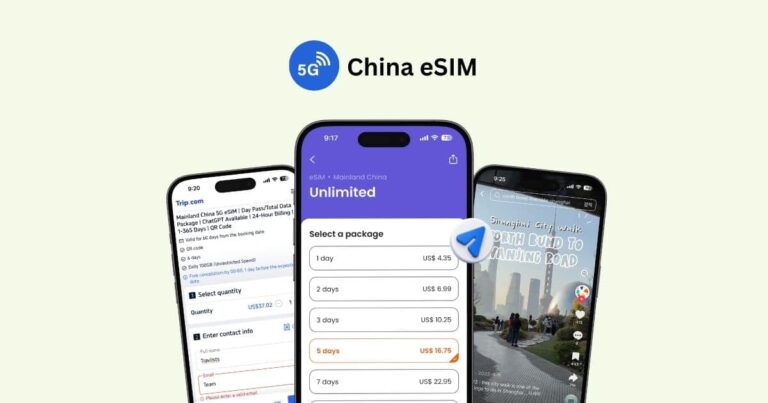
Second, Klook says its eSIMs for China can access apps such as Google, WhatsApp, Facebook, TikTok, and Instagram, along with AI chat tools. According to its China product page, this works because the eSIM routes data through Singtel, an international upstream network, rather than a VPN. The Asia eSIM I bought did not provide the same detailed explanation. It only stated that TikTok and AI tools were supported. Still, this could be useful for travelers visiting Mainland China who want access to commonly restricted apps without setting up a separate VPN. View Klook’s eSIM for China →
Finally, choosing a Klook eSIM comes with rewards. Eligible purchases can earn up to 4% back in Klook Cash, which you can use to pay for your next trip. Earning Klook Cash is not limited to eSIM purchases, too. You can also earn it from eligible attraction tickets, tours, transport, and other travel bookings.
Klook eSIM Cons
Before I share the cons, I should mention that my actual experience with the Klook eSIM was excellent. The purchase, installation, activation, and connection were all smooth. The two things I’ll share as cons are based on how Klook organizes and explains its eSIM products compared with eSIM-only marketplaces and providers:
- Klook does not appear to have a well-organized eSIM storefront. Its single-country and regional eSIMs are not listed and categorized as clearly as they are on most dedicated eSIM websites. This makes it harder to browse every available destination or compare plans across countries.
- There is a lack of clear information about whether Klook eSIMs are reusable. I couldn’t find this stated on the product page or in the FAQs. One FAQ even explains how to delete the eSIM after use, which made me wonder whether it was intended to be a one-time product. Klook’s chatbot told me that my Asia eSIM could be reused after the plan expires, but I think information this important should be clearly stated in the product details, especially if it can be reused.
Klook eSIM Review: My Experience in South Korea
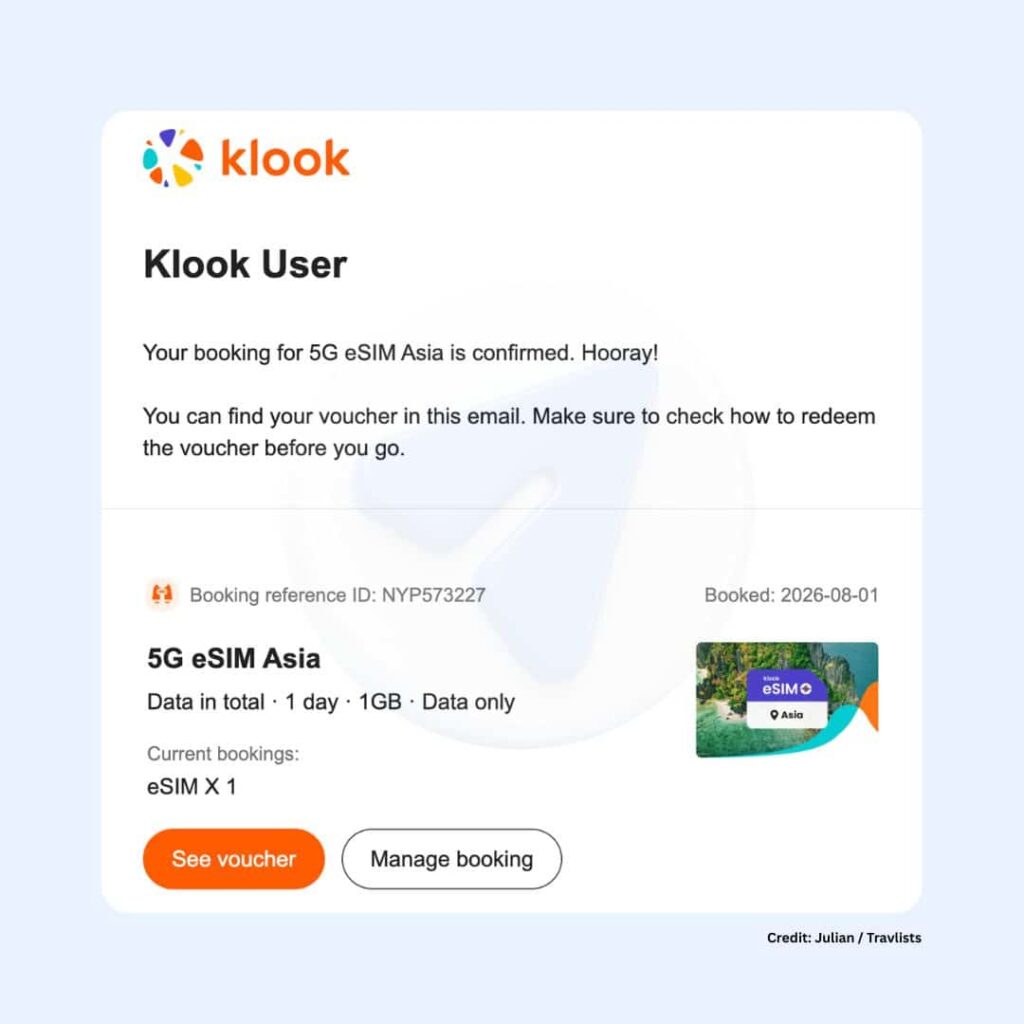
For this review, I purchased an Asia eSIM with 1GB data for 1 day and used it on my iPhone 15 Pro. I tested Klook at a cafe in Yeouido, Seoul, near the Han River.
| What Klook Says | My Experience |
|---|---|
| Purchase: Instant delivery and easy checkout | I booked on the mobile site for the full product details. Klook Cash covered the cost, so I paid $0. |
| Installation: Simple in-app setup | The guided setup in the Klook app took about 3 minutes. |
| Activation: Starts once connected at your destination | I activated it in Seoul and got a prompt and SMS when I forgot Data Roaming. |
| Speed: 5G title, 4G/5G LTE details | My plan connected to SKT 4G, not 5G. |
| Browsing: Supports TikTok and AI tools | TikTok, YouTube, Naver Map, Uber, and WhatsApp all worked well. |
| Support: 24/7 customer support | Only the AI chatbot was available when I asked for help. |
Purchase
If you’re booking a Klook eSIM, I recommend using the mobile website instead of the Klook app. The mobile website shows all the important product details, including speed limits, local networks, usage instructions, and user reviews, which aren’t available on the app.
I booked my eSIM using Klook Cash, which I’d also refer to as cashback for this review. I had enough Klook Cash to cover the entire cost of the data plan, so I didn’t have to pay anything out of pocket. This is one of the things I like about booking on Klook — each eligible booking lets you earn up to 4% cashback, which you can use on your future bookings.
Installation & Activation
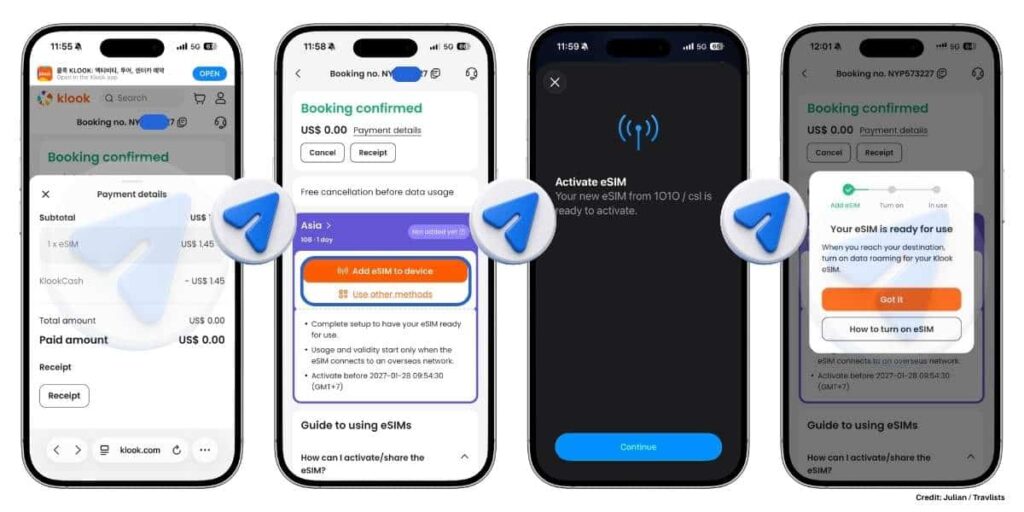
The easiest way to install the eSIM is through the Klook app, but there are other ways like scanning a QR code and manual setup. I chose in-app installation because the Klook app has always been very intuitive to use. Overall, the entire installation and activation process took about 3 minutes.
How to Install Klook eSIM on an iPhone
- Locate your purchase on the app (either on the Trips menu or Account > My Bookings page).
- Click Activate, then Add eSIM to Device. (The app showed me this note: “Setup may take 3-5 minutes”, which is consistent with my experience.)
- Your iPhone will then ask if you want to activate the eSIM. Click Activate to proceed. (A minute later, I saw this message: “Your new eSIM from 1010 / csl is ready to activate.” This is the Klook eSIM, so don’t be surprised if you encounter this, too.)
How to Turn on eSIM for Mobile Data
Follow these steps only if you’ve arrived at your destination or are ready to use your plan.
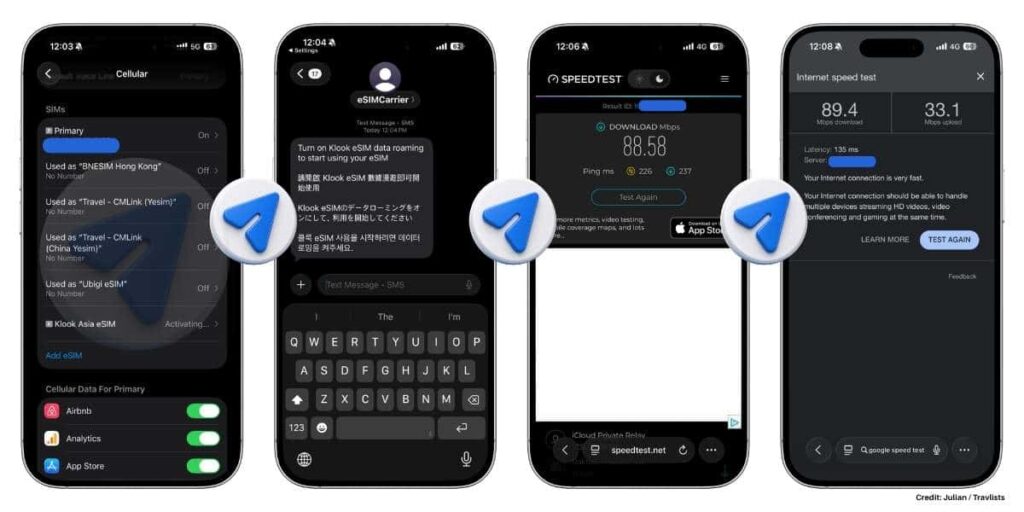
- Go to your iPhone’s Settings > Cellular.
- Locate your eSIM under the SIMs list. The Klook eSIM was labeled “Cellular Data” by default on my phone. When I clicked it, I confirmed that it was Klook because I saw the 1010 / csl name again.
- Customize the label of your eSIM by clicking Cellular Plan Label. For me, I renamed it to Klook Asia eSIM. This is not needed to start using data, but helpful to avoid confusion later on.
- Turn Data Roaming on. This is necessary to start using your eSIM. (I actually forgot to do this, but I received a prompt from my phone and even a text message saying I need to turn on data roaming. I thought this was really helpful.)
- Go back to Cellular > Cellular Data. Choose your Klook eSIM and then turn Cellular Data on.
After doing step 5, I immediately got connected to SKT (a Korean telco) and was running on 4G speeds. Overall, installing the Klook eSIM was really simple. Klook did a good job of providing helpful links in every step, too, so I don’t think first-time eSIM users will have a hard time getting connected.
Speed & Performance
My primary SIM card is a 5G SIM from KT, or Korea Telecom. When I switched to the Klook eSIM, I honestly couldn’t tell if there was any difference in browsing speed. The main differences were that the Klook eSIM showed 4G and connected to SKT.
Just a side note before we move on: having used physical tourist SIM cards before, it still amazes me how easy it is to connect to a different network without swapping SIM cards. I imagine the experience would be similar if I used the same Asia eSIM in another covered country, such as Singapore or the Philippines.
Anyway, I used the Klook eSIM to watch TikTok videos (Travlists is on TikTok, by the way—show us some love!), stream Ryan Goes to a K-Food Cooking Class from Klook’s YouTube channel, book an Uber ride to KSPO Dome, find the best route using Naver Map, and check my WhatsApp messages. I had no issues with any of them.
Now for the more technical comparison: My Ookla Speedtest recorded a download speed of 88.58 Mbps, while Google’s Speed Test showed 89.4 Mbps download and 33.1 Mbps upload. Google described the connection as very fast. These results were much lower than what I recorded when testing Ubigi in South Korea. Ubigi reached 293.13 Mbps on Ookla and 171.8 Mbps on Google’s Speed Test, even though it was also connected through LTE. The numbers look very different, but as someone who lives in Seoul, I honestly didn’t notice much difference when loading websites or using everyday apps.
Customer Support
Klook highlights 24/7 customer support on its Asia eSIM page. However, that was not fully reflected in my experience.
I opened the Help Center, clicked the chat button, and asked whether I could continue using the same Asia eSIM in Japan or China after my current plan expired. The response came from Klook’s Customer Support AI Chatbot, which showed several suggested topics that did not seem relevant to my question. I then asked to speak with a human agent, but the chatbot replied: “I’m sorry, live support isn’t available at the moment. But I’m here and happy to help you out!” I found this a little confusing because the product page advertises 24/7 customer support. It may have been clearer if Klook had specified that 24/7 AI support was available, while access to a human agent depended on availability.
To its credit, it summarized my question accurately and then gave me a much more direct answer: “Your Asia eSIM covers multiple countries including South Korea, Japan, and Mainland China, so you’re already set for all three destinations on the same eSIM. Once your current plan expires, you can purchase a new plan and apply it to the same eSIM.”
The chatbot then explained Klook’s Data Bank, which stores eligible unused data that can be applied during checkout when booking another eSIM through the Klook app.
Klook eSIM Plans Booked by Travlists Readers
When you visit Klook’s website, you’ll see figures such as “X+ booked” on its product pages. For example, Klook shows “2M+ booked” for its branded Japan eSIM and “1M+ booked” for South Korea. These figures are a useful indicator of popularity, although Klook does not clearly explain whether they represent individual orders, eSIM units sold, or cumulative purchases across different plan options.
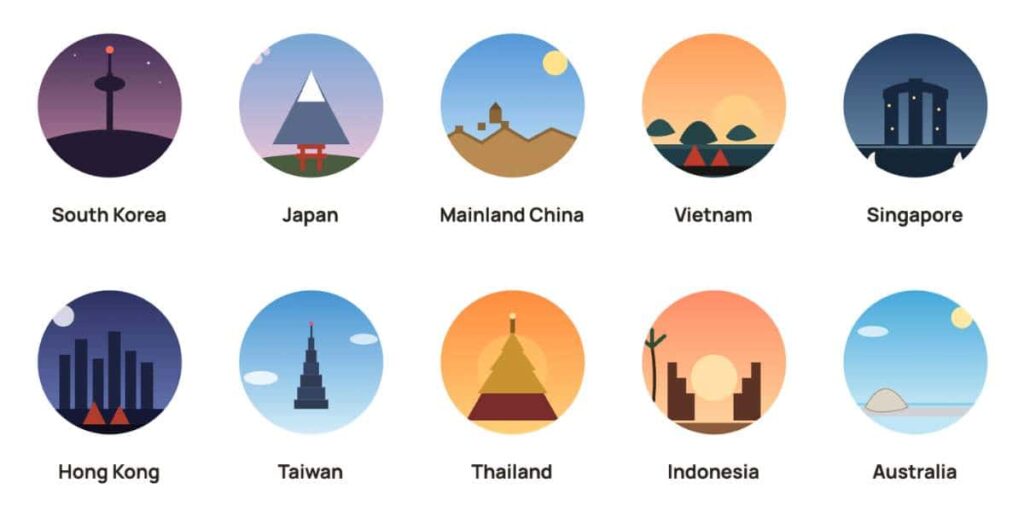
For a more defined look at what travelers are booking, especially if you’re thinking twice about getting a Klook eSIM, you can also refer to Travlists’ booking data. Between January 1, 2025, and July 25, 2026, we tracked 1,108 Klook eSIM bookings made through our affiliate links. Below are the ten most-booked destinations among Travlists readers:
- South Korea — 31%
- Japan — 13%
- Mainland China — 10%
- Vietnam — 7%
- Singapore — 6%
- Hong Kong — 6%
- Taiwan — 5%
- Thailand — 3%
- Indonesia — 3%
- Australia — 3%
Other destinations outside the top ten included Malaysia, Europe, the United States, India, Sri Lanka, New Zealand, Canada, the Philippines, Turkey, the United Kingdom, the UAE, Mexico, and Cambodia. Travlists readers also booked regional plans covering Asia, China–Hong Kong–Macau, Southeast Asia, Europe, and the Middle East and Africa.
Please interpret this data only as what Travlists readers booked through our affiliate links — it does not show where Klook eSIM performs best.
Klook eSIM Promo Code
You can save on your Klook eSIM purchase using our code TRAVLISTS. New Klook users get 5% off, while existing users get 3% off.
- Minimum purchase: $50
- Usage: Can be used up to 3 times—we’ve personally checked this
- Valid until: 2040
- Eligible products: Participating eSIMs, tickets, tours, and other Klook activities
- How we tested it: On the checkout page, I selected Platform promo codes and entered TRAVLISTS
Discount caps and final pricing may vary by region, so always confirm that the discount appears at checkout before paying.
You can also jump back to the Quick Book box above to copy the code and select your destination.
Would I Recommend Klook eSIM?
My overall experience was smooth, and the guided in-app setup made it one of the easier eSIM installation experiences I’ve had. The generous daily high-speed allowance and hotspot support are also useful if you consume a lot of data or need to connect another device.
Klook does fall short when it comes to documentation. Important details, such as whether an eSIM can be reused after the plan expires, are not clearly explained on the product page or in the FAQs. I only received a direct answer after asking the chatbot. Klook also advertised 24/7 customer support, but only AI support was available when I tried to reach a human agent.
Even with those limitations, the actual eSIM worked very well during my usage. I would recommend it, especially to first-time eSIM users and travelers who already use Klook for tours, tickets, hotels, or other trip bookings. Keeping everything in one app is convenient, and eligible purchases can also earn Klook Cash.
If you prefer a provider that focuses entirely on eSIMs and provides clearer product documentation, it may still be worth comparing Klook with BNESIM, Yesim, or Ubigi before booking.
FAQ
Is Klook eSIM Safe? Is It Worth It?
Based on my own testing, yes. The Asia eSIM I tested worked well from purchase to activation, and I had no connectivity issues in Seoul. That said, I also came across mixed reviews online, particularly around network routing and customer support, so results can vary depending on your destination and the underlying network Klook uses for that specific plan. If you’re a first-time eSIM user or already booking other things on Klook, I’d say it’s worth trying. If you want a provider that’s laser-focused on eSIMs with clearer documentation, it’s worth comparing Klook against BNESIM, Yesim, or Ubigi first.
Can I Reuse My Klook eSIM After It Expires?
According to Klook’s chatbot, yes; you can purchase a new plan and apply it to the same eSIM once your current plan expires. Any unused eligible data can also move into Klook’s Data Bank, which you can apply toward your next eligible eSIM booking at checkout. According to Klook’s chatbot, Data Bank balances expire 180 days from your last save, and the countdown resets each time you save or receive data. I wasn’t able to confirm eligible regions myself beyond what the chatbot told me for my specific plan (it said Japan and China were both eligible), so I’d recommend confirming with Klook support for your destination before relying on this.
One thing to note is that this information came from Klook’s AI chatbot rather than the product page or FAQs, so I can’t confirm whether it applies to every Klook eSIM plan.
Does Klook Offer a Free eSIM?
Yes, through Klook Rewards. The free eSIM you get depends on your membership tier:
- Level 1: 1x 500MB eSIM valid for 1 day
- Level 2 (Gold): 2x 1GB eSIMs valid for 7 days
- Level 3 (Platinum): 2x 3GB eSIMs valid for 7 days
I qualified for the Level 2 perk during my own purchase but chose not to claim it so I could save it for a personal trip.
Who Actually Provides the Klook eSIM Network?
Klook is not a telco, and based on what I saw during testing, it doesn’t appear to provide the underlying eSIM service itself. The voucher for the Asia eSIM I bought listed RedteaGO as the local operator, which suggests that this particular Asia eSIM is sourced through a white-label arrangement. This doesn’t necessarily apply to every Klook eSIM listing, since the supplier may vary by destination or product.
Why Does My Klook eSIM Say 1010 / csl Instead of Klook?
During installation, my iPhone showed “1010 / csl” instead of “Klook.” This is normal. The Asia eSIM I tested listed RedteaGO as the local operator, and 1010 / csl was the carrier name shown during activation. Once I confirmed the profile, I simply renamed it to “Klook Asia eSIM” to avoid confusion.
Does Klook eSIM Support Mobile Hotspot?
Yes, and it worked without issues during my testing in Seoul. That said, some local networks may restrict hotspot use even if the seller lists it as supported, so it may be worth confirming with Klook’s customer service if tethering is important for your trip.
If you’re still figuring out which eSIM fits your trip, our eSIM Hub breaks down providers by destination, data needs, and budget, so you can compare Klook against other options like BNESIM, Yesim, and Ubigi before you book.
How I Reviewed Klook eSIM
I purchased a Klook eSIM and documented the experience from checkout to actual usage. I tracked installation and activation time, ran speed tests using Ookla and Google’s Speed Test, tested mobile hotspot, used common travel apps, and contacted Klook’s customer support with a real question about reusing the eSIM. I also saved screenshots and my purchase receipt throughout the process.
View My Detailed Klook eSIM Experience Timeline
I recorded the main steps from purchasing the eSIM to using it around Seoul.
11:50 AM — Checked my Klook Rewards Benefits and saw I was eligible for a free 1GB eSIM as a Level 2 Gold member.
11:51 AM — Browsed the 5G eSIM Asia product page on the mobile site, since it showed full details the app doesn’t display.
11:52 AM — Started checkout.
11:53 AM — Chose to pay with Klook Cash instead of claiming the free eSIM tier. Confirmed the TRAVLISTS promo code was valid, but didn’t apply it since Klook Cash covered the full cost.
11:54 AM — Paid $0 and completed the purchase.
11:55 AM — Received the confirmation email and viewed the eSIM voucher with QR code on the mobile site.
11:56 AM — Noticed the voucher listed RedteaGO as the local operator.
11:57 AM — Opened the Klook app and found the voucher under both the Trips menu and Account > My Bookings. Tapped Activate, then Add eSIM to Device.
11:58 AM — Followed the in-app prompts through the iPhone’s Activate Your eSIM and Connecting to Your Carrier screens.
11:59 AM — Saw the message “Your eSIM from 1010 / csl is ready to activate” and tapped Continue.
12:01 PM — The eSIM began activating, and the Klook app confirmed it was ready for use.
12:02–12:03 PM — Checked Settings > Cellular, confirmed the new profile was Klook by checking the carrier name, and relabeled it “Klook Asia eSIM” to avoid confusion.
12:04 PM — Received an SMS prompting me to turn on Data Roaming. Turned it on, and 4G appeared almost immediately, connected to SKT.
12:05 PM — Ran an Ookla speed test: 88.58 Mbps download. Ran Google’s Speed Test: 89.4 Mbps download, 33.1 Mbps upload.
12:10–12:14 PM — Used TikTok, YouTube, WhatsApp, Google Maps, and Naver Map with no issues.
12:18 PM — Tested mobile hotspot, which worked without any problems.
12:19 PM — Checked data usage in the Klook app, which still showed 1.00GB with a note that usage may take time to reflect.
12:21 PM — Contacted customer support through the Help Center to ask whether I could reuse the same eSIM in Japan or China after my current plan expired.
12:24 PM — The AI chatbot said live support wasn’t available, then offered to help directly after I asked for a human agent.
12:25 PM — The chatbot confirmed my Asia eSIM covered South Korea, Japan, and China, explained I could apply a new plan to the same eSIM, and walked me through how Klook’s Data Bank works.
12:27 PM — Booked an Uber to KSPO Dome using the same connection.
Purchase Receipt
I used my Klook Cash to purchase a Klook eSIM for this review. Here is the receipt: